Tag Archives: Editing

What’s the purpose of grammar?

A recent Editors NSW workshop on grammar with presenter Elizabeth Manning Murphy DE was a reminder about the purpose of grammar. Grammar is the communication code we all share and it helps us communicate clearly in writing and in speech. It is just as important for new media such as emails and websites as the old media of printed letters. It improves understanding, ensures clarity and reduces confusion.

Formally teaching and learning grammar did go out of fashion for a time, so it is common for people to be unsure of the right uses of grammar or think something looks odd without being able to explain why.

Some grammar tips

  • Understand grammar conventions before breaking them for effective writing.
  • Be aware of the different parts of speech such as nouns, pronouns, verbs, adjectives, adverbs, prepositions and conjunctions.
  • Be aware of common mistakes and look out for them.
  • Find a grammar reference book that is useful for you.
  • Remember English is a living language and conventions change over time.

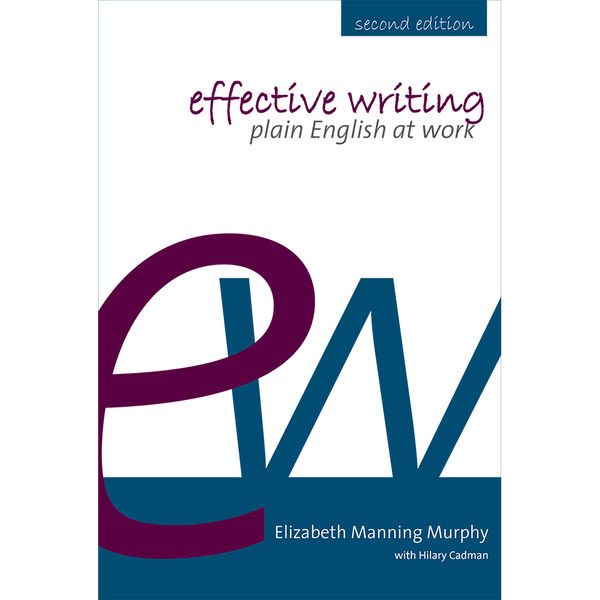
Elizabeth’s book Effective Writing: Plain English at Work is a great easy to read resource. It emphasises that grammar is the basis for plain English style which is recommended for government and business communication.

Effective writing: plain English at work by Elizabeth Manning Murphy

Effective writing: plain English at work by Elizabeth Manning Murphy

The Style Manual for Authors, Editors and Printers is a comprehensive resource on many aspects of writing and editing (see my blog here).

For editing queries, please contact me at rhdaniels@bigpond.com

Rhonda Daniels is now an Accredited Editor

iped-logo

I am pleased to announce that I am now an Accredited Editor with the Institute of Professional Editors.

An Accredited Editor has demonstrated their professional competence and understanding of editing standards, skills and knowledge by passing the Institute of Professional Editors’ three-hour accreditation exam. The exam, administered by IPEd’s Accreditation Board, measures an editor’s competence against the benchmark of the Australian standards for editing practice.

Editors who pass the accreditation exam are certified by the IPEd Accreditation Board and can use the postnominal AE (for ‘accredited editor’). Accredited editors are listed here.

The accreditation scheme offers Australian editors a mechanism to demonstrate their competence and provides potential employers with confidence in the skills of the editors they hire.

For editing queries, please contact me at rhdaniels@bigpond.com

Know your audience and write for them

This week I came across a journal with a very specific title: The International Journal of the First Year in Higher Education. This title is very clear. It communicates what the journal is about, what content to expect and who the audience is, even without reading its blurb.

Just to confirm, the blurb at www.fyhejournal.com says the journal “focuses on research and practice about enhancing the experience of commencing students” and the journal’s audiences are “academic and professional staff involved in first year programs as well as senior managers with responsibility for first year policies and strategies”.

It is a good reminder to know your audience and write for them, which includes:

  • getting the title right
  • getting the content right
  • getting the structure right
  • getting the language right.

For more, see my blogs Write for your reader and audience and Are your headings helpful?

But wait. In August 2015, the journal was renamed to Student Success: A journal exploring the experiences of students in tertiary education to broaden the focus from First Year to a wider view of student engagement and success in tertiary education.

What do you think of the name change?

Check pagination as well as the text

Editing is more than just checking the text of a document. The pagination of the document, or how the material is laid out across the pages, should also be checked to ensure the document communicates clearly and effectively to readers.

Look out for these common pagination issues:

  • Keep a table on one page – do not split tables over pages
  • Refer to a table or figure in the text, before it appears in the document
  • Keep notes and captions with tables and figures and do not split over pages
  • Ensure headings do not appear at the bottom of a page
  • Ensure a single line of a paragraph is not left on its own at the top or bottom of a page
  • Use the “Insert page break” command to start a new page, instead of lots of “Returns”.

Editing of text is often done at 150% view size, but to check pagination, use whole page view to scroll through a long document. Even better, print the document as a final check. Be aware that different printer settings can affect pagination, so save in pdf format to stabilise the layout. Changes made at the last minute, even inserting a single word, can also change the pagination and layout of the document with flow on effects over several pages, so take care with these changes.

Top two mistakes in academic writing

The top two mistakes in academic writing I see when editing theses and journal articles are writers trying too hard and not meeting the requirements.

Mistake 1 – Trying too hard

Trying too hard describes a style of writing that tries to impress with complexity, rather than clarity. Impress with simplicity. As much as possible, use the simplest form of a word, delete filler and unnecessary words, keep sentence and paragraph length easy to read, minimise the use of acronyms and jargon, and provide the appropriate level of detail at the right place. Make it easy for the reader. See my other blog tips on writing to impress through simplicity.

Mistake 2 – Not meeting the requirements

As with all writing, academic writing is written for a particular audience for a particular purpose. It is important to know and meet the requirements of the style of writing, the audience and the publisher. Some of the requirements for a thesis might include total word length, original contribution, critical analysis, the structure and the reference style. The requirements for a journal article might include relevance to the aims of the journal, word length, footnotes (or not), and the number of tables or figures allowed.

Improve your academic writing by avoiding the top two mistakes. Keep it clear and simple, and know and meet the requirements.

When are hyphens helpful

A hyphen (-) is a short dash. The Style manual for authors, editors and printers (6th edition, 2002) notes there are few firm rules for the use of hyphens and no simple rights and wrongs. The main advice is to choose one dictionary, such as the Macquarie dictionary, and follow its recommendations. As always in editing, be consistent throughout the document.

Here are some helpful uses of hyphens:

  • Clarify meaning such as re-sign (sign again) versus resign (leave a job).
  • Clarify meaning in compound words such as owner-builder and disease-free.
  • Prevent misreading of words starting with prefixes such as anti, ex and re followed by vowels such as re-enter.
  • Use hyphens in compound adjectives with numbers such as three-part series.
  • Avoid hanging or floating hyphens such as pre- and post-1788.

Hyphens may be used when a word is relatively new, but dropped over time as the word becomes more clearly known and accepted such as email. The use of hyphens also depends on the role of the word in a sentence: consider “in the long term” versus “long-term view”.

My preference is to use one combined word or two separate words, and only hyphenate where required to clarify the meaning.

Don’t confuse hyphens with the main types of (longer) dashes: the em rule and en rule. Hyphens and dashes have different uses. See the next blog for more on dashes.

Edit is a four-letter word

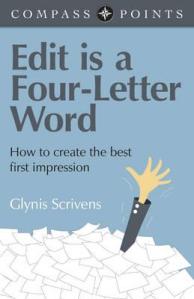
compass-points-edit-is-a-four-letter-word

As an editor, the title of this slim volume Edit is a Four-Letter Word by Glynis Scrivens caught my eye on the new book display in my local library. It is a guide for fiction writers on how to edit their own work, but still relevant to all writers.

Here are some messages I liked from the author and other writers in the book:

  • Edit is a four-letter word which requires other four-letter words: hard work, task, slog, pain and time.
  • Editing is all about creating a good first impression.
  • Aim for maximum impact with minimum words.
  • A badly edited piece of work will appear to be poorly written.
  • Language is your tool – use it wisely.
  • 90% of writing is rewriting.
  • Editing will transform your first draft.

For fiction writers, “edit” is the only path to other four-letter words: book deal, sale, cash and fame.

Writers can and should edit their own work and a professional editor can add even more value. See my January 2015 blog on How to edit your own work.

Ensuring graphic design enhances your text

Many authors are responsible for and control all aspects of their document, from the text to the design. But sometimes the text may be passed on to a graphic designer to lay out the document in software such as InDesign to make it look more professional or prepare it for printing.

It is important that the design or layout of the document enhances the text, and does not detract from it. Good design can strengthen the message, while bad design can ruin it.

Elements of design can include choice of fonts for text and headings, white space, colours, design of non-text elements such as tables, figures and diagrams, and size and placement of non-text elements. The design should enhance the text and help communicate the message to the audience.

Here’s how to ensure your text is enhanced by document design:

  • Finalise the text and structure before it goes to the designer.
  • Brief the designer on the audience and message of the document.
  • Do a test design and revise if required.
  • Check all non-text elements, such as diagrams, illustrations and photographs, carefully.
  • Allow sufficient time to check all elements of the designed document.

As well as editing text, editors can also review the design of a document for consistency and clear communication, and provide advice on all document elements.

In relation to pertaining to – don’t!

The only place to use the two phrases “in relation to” and “pertaining to” is an article about not using them. In most cases, these phrases can be replaced with simpler words such as ”about”, “for”, “on” or “in”.

Keep your writing clear and simple to allow readers to focus on your key messages. Unnecessary words and phrases just make it more difficult to focus on the important words.

Next time you read text with either of these two phrases, replace the phrase with “about” or delete it and see if the meaning changes. Avoiding “in relation to” and “pertaining to” makes the text clearer.

How to check your own reference list

When editing academic work such as theses, journal articles and reports, I always check that all the references in the text are in the reference list, and all the references in the reference list are used in the text.

Referencing is important because it allows readers to find, read and check the original sources you found useful. Accuracy in referencing contributes to the credibility of your work.

Here’s how I do it.

  • Print a hard copy of the reference list.
  • Start at the beginning of the document file and scroll through it onscreen.
  • For every reference, tick it off on the hard copy reference list.
  • Check the spelling of the author and the date are the same in the text and the list.
  • If the reference is not in the list, write the author and date on the list.

At the end, you should have a reference list with hopefully all (or most) references ticked off, and no extra references to add.

  • Check errors are not due to poor spelling or incorrect dates.
  • Add in references which are missing.
  • Use the “find” feature to check references do not appear in the text, before deleting references not used.

Referencing software such as Endnote can help keep track, but it is still worth a final manual check. Formatting the reference list consistently with complete information is also important.