When are hyphens helpful

A hyphen (-) is a short dash. The Style manual for authors, editors and printers (6th edition, 2002) notes there are few firm rules for the use of hyphens and no simple rights and wrongs. The main advice is to choose one dictionary, such as the Macquarie dictionary, and follow its recommendations. As always in editing, be consistent throughout the document.

Here are some helpful uses of hyphens:

  • Clarify meaning such as re-sign (sign again) versus resign (leave a job).
  • Clarify meaning in compound words such as owner-builder and disease-free.
  • Prevent misreading of words starting with prefixes such as anti, ex and re followed by vowels such as re-enter.
  • Use hyphens in compound adjectives with numbers such as three-part series.
  • Avoid hanging or floating hyphens such as pre- and post-1788.

Hyphens may be used when a word is relatively new, but dropped over time as the word becomes more clearly known and accepted such as email. The use of hyphens also depends on the role of the word in a sentence: consider “in the long term” versus “long-term view”.

My preference is to use one combined word or two separate words, and only hyphenate where required to clarify the meaning.

Don’t confuse hyphens with the main types of (longer) dashes: the em rule and en rule. Hyphens and dashes have different uses. See the next blog for more on dashes.

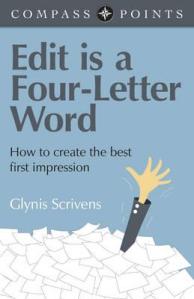
Edit is a four-letter word

compass-points-edit-is-a-four-letter-word

As an editor, the title of this slim volume Edit is a Four-Letter Word by Glynis Scrivens caught my eye on the new book display in my local library. It is a guide for fiction writers on how to edit their own work, but still relevant to all writers.

Here are some messages I liked from the author and other writers in the book:

  • Edit is a four-letter word which requires other four-letter words: hard work, task, slog, pain and time.
  • Editing is all about creating a good first impression.
  • Aim for maximum impact with minimum words.
  • A badly edited piece of work will appear to be poorly written.
  • Language is your tool – use it wisely.
  • 90% of writing is rewriting.
  • Editing will transform your first draft.

For fiction writers, “edit” is the only path to other four-letter words: book deal, sale, cash and fame.

Writers can and should edit their own work and a professional editor can add even more value. See my January 2015 blog on How to edit your own work.

Rushing to meet writing deadlines

Rushing your writing or editing to meet deadlines, whether self-imposed or external deadlines, can be stressful at any time of the year. It is usually better to submit a shorter, more polished document than a longer, unfinished document full of distracting errors. Your readers are reading the document in front of them, so make it the best you can in the time available.

Here are my tips from my own and clients’ experiences:

  • Keep it short and simple.
  • Focus on the parts that are most important.
  • Prioritise the many possible changes.
  • Fix up what you’ve got and don’t add more incomplete text.
  • If in doubt about some text, delete it.
  • Accept that it might not be perfectly perfect this time.
  • Take care with changes made at the last minute.

Be aware of the nature of your deadline. Is it a hard or soft deadline? What happens to the document after the deadline? You may have another chance to fix up the document after the first apparent deadline. Keep a list of items to check or adjust if you do have more time.

There’s no doubt that deadlines can be stressful, but they help ensure a writing task is finished, so you can move on to the next one.

Ensuring graphic design enhances your text

Many authors are responsible for and control all aspects of their document, from the text to the design. But sometimes the text may be passed on to a graphic designer to lay out the document in software such as InDesign to make it look more professional or prepare it for printing.

It is important that the design or layout of the document enhances the text, and does not detract from it. Good design can strengthen the message, while bad design can ruin it.

Elements of design can include choice of fonts for text and headings, white space, colours, design of non-text elements such as tables, figures and diagrams, and size and placement of non-text elements. The design should enhance the text and help communicate the message to the audience.

Here’s how to ensure your text is enhanced by document design:

  • Finalise the text and structure before it goes to the designer.
  • Brief the designer on the audience and message of the document.
  • Do a test design and revise if required.
  • Check all non-text elements, such as diagrams, illustrations and photographs, carefully.
  • Allow sufficient time to check all elements of the designed document.

As well as editing text, editors can also review the design of a document for consistency and clear communication, and provide advice on all document elements.

100%, 100 per cent or 100 percent?

A perfect score of 100 is great – but is that written 100%, 100 per cent or 100 percent? I’m all for 100%.

The Style manual for authors, editors and printers (Sixth edition, 2002) noted that the spaced form of per cent is the most commonly used in Australia, but percent is the dominant form in the United States.

Using the % symbol with numerals, particularly in statistically oriented text such as reporting survey results, makes the numbers stand out and makes it easier to compare numbers. The % symbol should always be used in tables.

The Style manual supports this use: “Where numerals are generally being employed for numbers, it is preferable also to show percentages in numerals with the symbol”.

The words per cent or percent are still used as an unnecessary sign of more formal writing, but let’s change that. As always in editing, the aim is to communicate clearly and make it easy for readers to understand the text and the numbers.

So it is not wrong to use the % symbol. But be consistent: don’t use 100 per cent in half your document and 100% in the other half.

In relation to pertaining to – don’t!

The only place to use the two phrases “in relation to” and “pertaining to” is an article about not using them. In most cases, these phrases can be replaced with simpler words such as ”about”, “for”, “on” or “in”.

Keep your writing clear and simple to allow readers to focus on your key messages. Unnecessary words and phrases just make it more difficult to focus on the important words.

Next time you read text with either of these two phrases, replace the phrase with “about” or delete it and see if the meaning changes. Avoiding “in relation to” and “pertaining to” makes the text clearer.

How to check your own reference list

When editing academic work such as theses, journal articles and reports, I always check that all the references in the text are in the reference list, and all the references in the reference list are used in the text.

Referencing is important because it allows readers to find, read and check the original sources you found useful. Accuracy in referencing contributes to the credibility of your work.

Here’s how I do it.

  • Print a hard copy of the reference list.
  • Start at the beginning of the document file and scroll through it onscreen.
  • For every reference, tick it off on the hard copy reference list.
  • Check the spelling of the author and the date are the same in the text and the list.
  • If the reference is not in the list, write the author and date on the list.

At the end, you should have a reference list with hopefully all (or most) references ticked off, and no extra references to add.

  • Check errors are not due to poor spelling or incorrect dates.
  • Add in references which are missing.
  • Use the “find” feature to check references do not appear in the text, before deleting references not used.

Referencing software such as Endnote can help keep track, but it is still worth a final manual check. Formatting the reference list consistently with complete information is also important.

Short summaries take time

The summary at the beginning of a longer document is intended to save readers time by summarising the whole document. The summary may be called an abstract for a journal article, or an Executive Summary in a report.

It can be a challenge for authors to condense all their careful thought and effort on a long document into a much shorter summary. But remember the reader.

More people will read the summary than the whole document. Ideally the summary will encourage readers to read on. But if they don’t, what do you want people to know and remember?

It can take a surprising amount of time to get the summary right as every word is carefully considered. If time is limited, copying sentences from the document is a starting point, but it is best to write just for the summary.

Tips

  • Be aware of any length limits, such as 100 words or one page.
  • Allow enough time to write the summary – don’t rush it at the last minute.
  • Rewrite key messages in a clear and succinct form.
  • Choose words carefully to convey the extent of certainty.
  • Focus on the results, more than the process, if space is limited.
  • Remember a well-chosen graphic or key statistic may be more effective than many words.
  • Use the present or past tense (not the future tense), as the work has been done.

See our related post on writing to a word limit (August 2014).

Choosing the right word

The words you choose to describe important content and issues in your document can set the tone for your document, and influence the reaction of your readers. Choosing the right word can make all the difference to your document.  Take special care with words in titles. If the title doesn’t have the right words, or is unclear, confusing or offensive, some readers may not read on.

Consider these examples:

  • Are people described as clients, customers, consumers or stakeholders?
  • Are older people described as seniors, the elderly, the aged, pensioners or retirees?
  • Are women described as ladies, girls, females or women?
  • Are people who walk described as vulnerable road users, pedestrians or active transport users?

Language is always changing, so be aware of changing trends in meanings and preferred terms. Large organisations may have a style guide to provide guidance. An editor can advise whether the words you have used are the best for your document and audience, or may be inappropriate.

For more, see our March 2014 post on inclusive language – be inclusive by using gender-neutral or gender-free language.

Impress with simplicity

Right with Rhonda helps you impress the people you need to impress with words. But you don’t need to use long words, long phrases or long sentences to impress people. To communicate clearly, use the shortest form of a word and use a verb not a noun phrase.

For example, use

  • in, not within
  • use, not utilise
  • start, not commence
  • investigate, not conduct an investigation
  • evaluate, not undertake an evaluation.

Ask yourself: do the extra letters and words add to the meaning or not? If the extra words are not needed, delete them. Of course, sometimes a longer word or phrase is needed to clearly convey a specific meaning. As much as possible, keep it simple and short.